Mission-based alarm
Weky keeps ringing until you've actually done something — solved it, typed it, photographed it, or got out of bed for it. No snooze. No cheating.
iPhone · iOS 26 or later · 7-day free trial
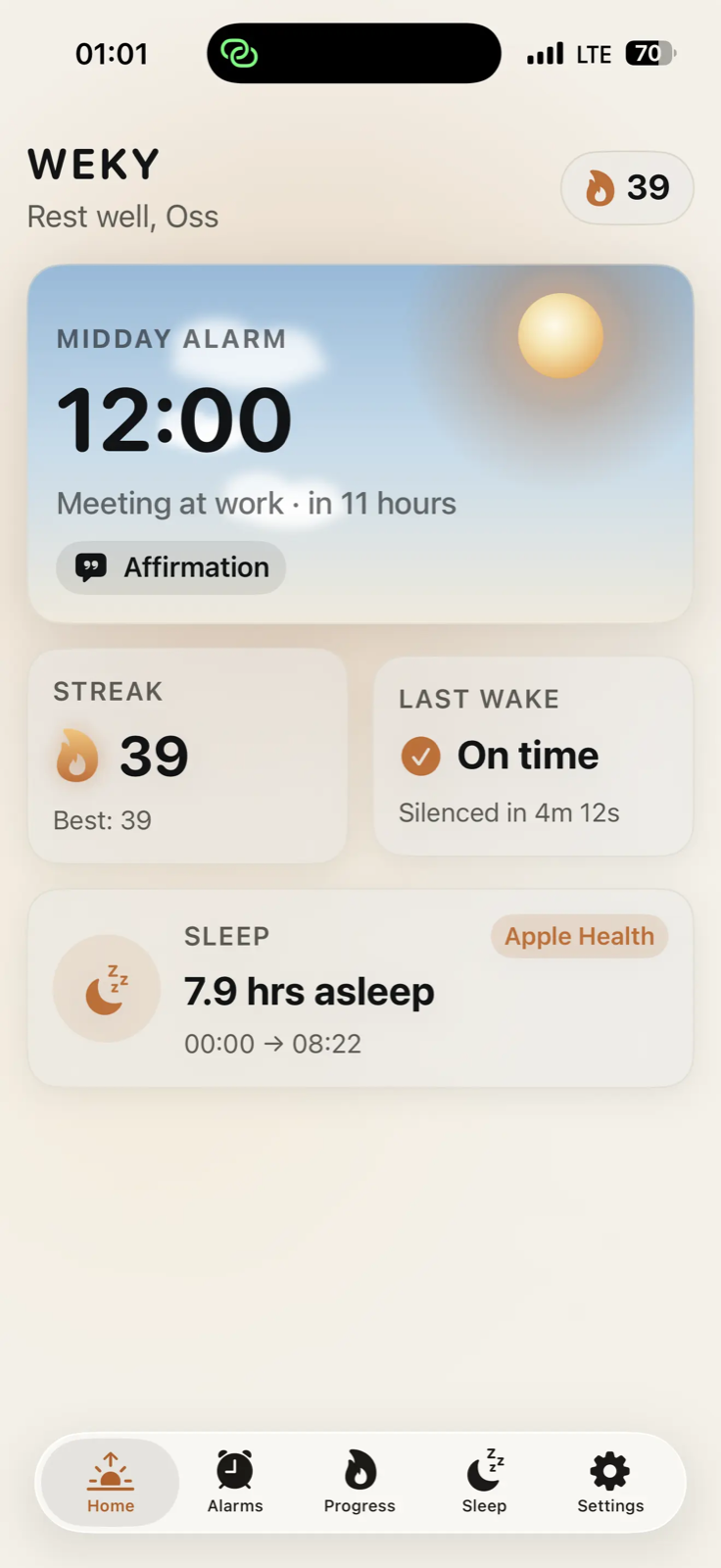
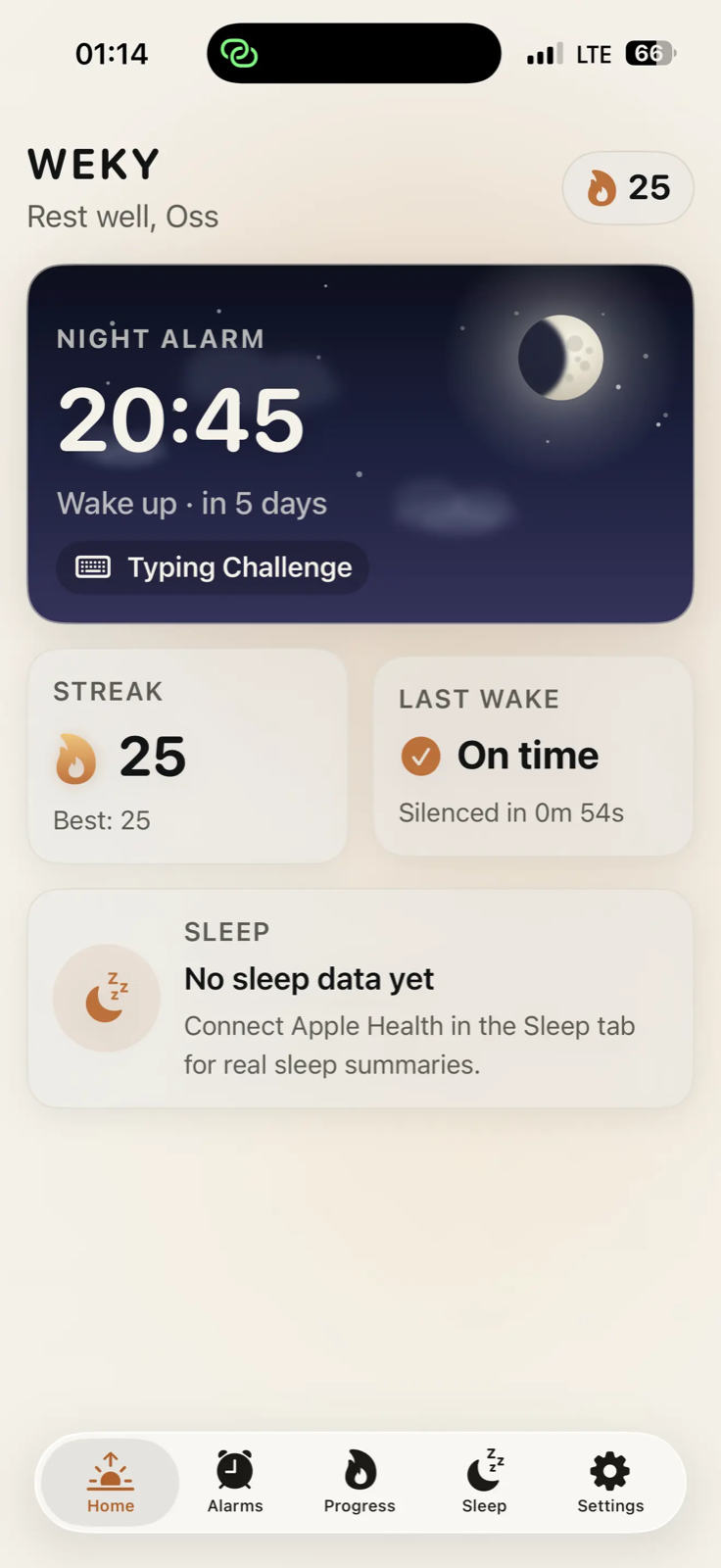
How it works
Set it tonight. Earn it tomorrow. Weky handles the part where you'd normally roll over.
Pick a time, name it, choose the days — then choose the mission you'll have to complete to switch it off.
Weky takes over the lock screen and keeps ringing — in silent mode, and even if the app has been closed.
Finish the mission and it stops. Your streak grows, and Weky offers a short list of things to start the day with.
Missions
Every mission is verified on your phone. Nothing you photograph or say ever leaves the device.
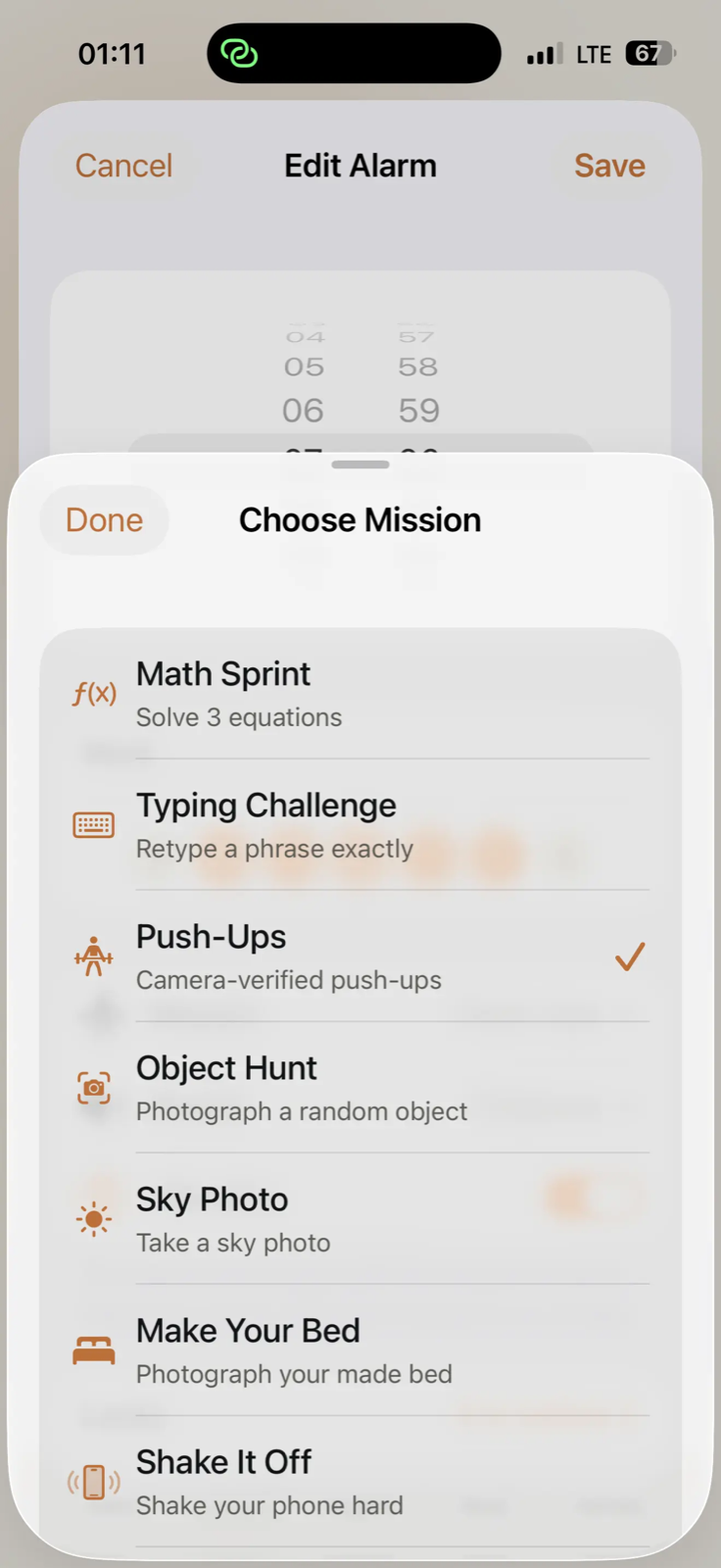
Solve three equations before it stops ringing.
Retype a phrase exactly — no typos allowed.
The camera counts your reps for fifteen seconds.
Find and photograph the object Weky names.
Get up, get outside, and photograph the sky.
Make your bed, then prove it to the camera.
Shake the phone hard, twenty times over.
Say the morning line out loud. Your voice unlocks it.
A gentle one for the weekend, something brutal for the day you can't be late. Each alarm carries its own mission, tone and vibration.
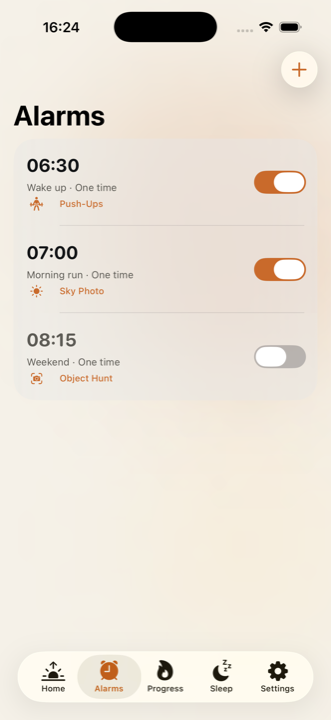
Weky's alarm list shows the time, the name, the days and the mission at a glance — so you always know what tomorrow is going to ask of you.
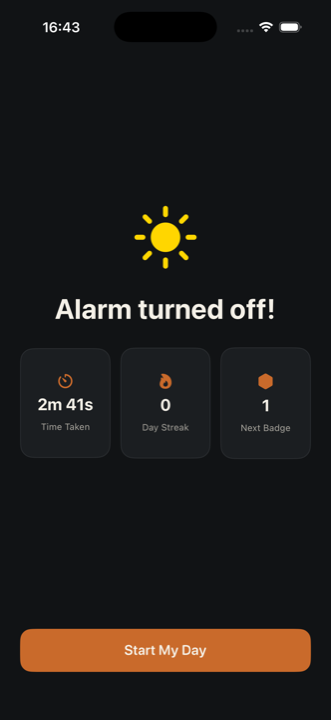
Finish the mission and the noise stops. Weky shows how long it took, your streak, and how close the next badge is.
New
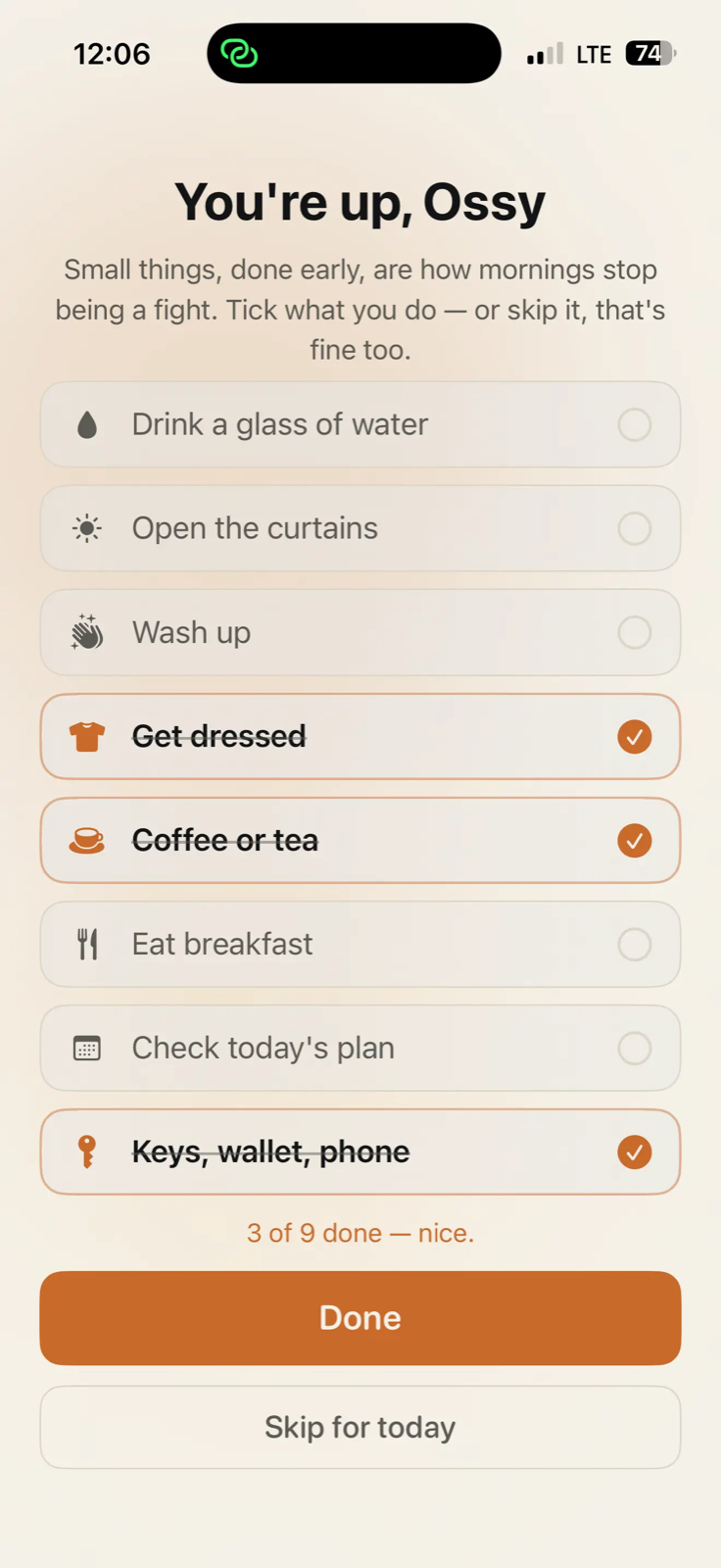
Getting up is the hard part. Knowing what to do next is the part nobody talks about. Weky offers a short list of ordinary morning things — tick what you do, skip what you don't.
Progress
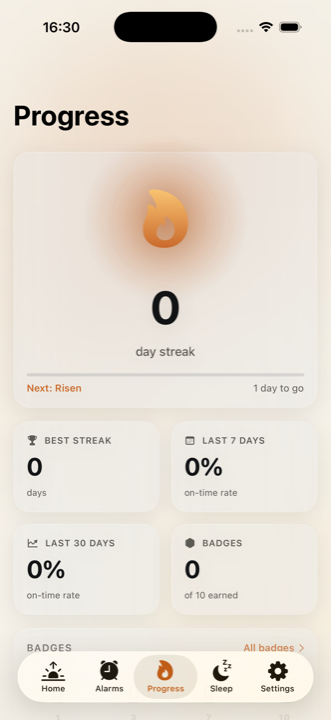
Miss a morning and the streak goes to zero. That's the point — it only means something because it can be lost.
Your current run, your best ever, your on-time rate across the last week and month, and ten badges to work toward.
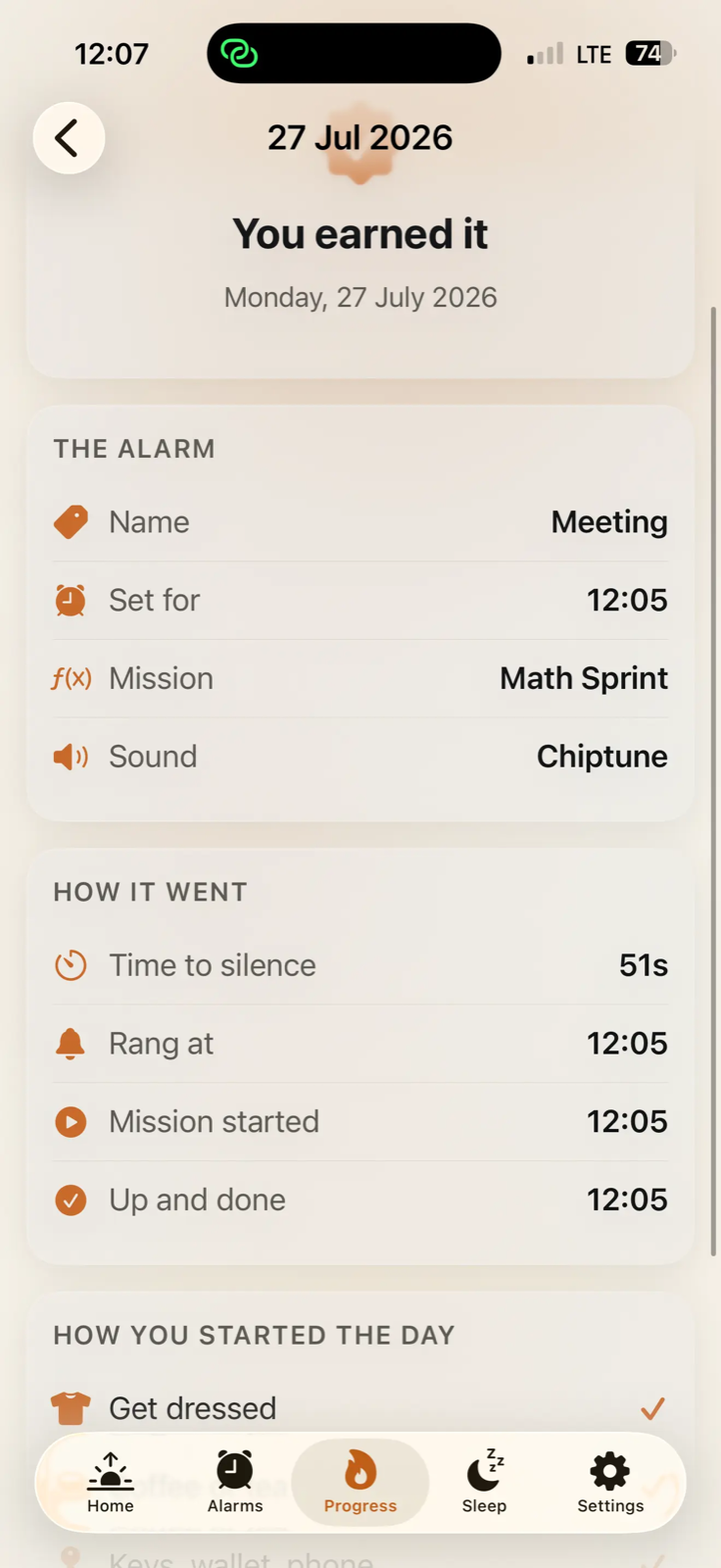
Tap any past morning to see exactly how it went — the alarm you set, the mission you did, how long it took you, and what you chose to start the day with.
Sleep
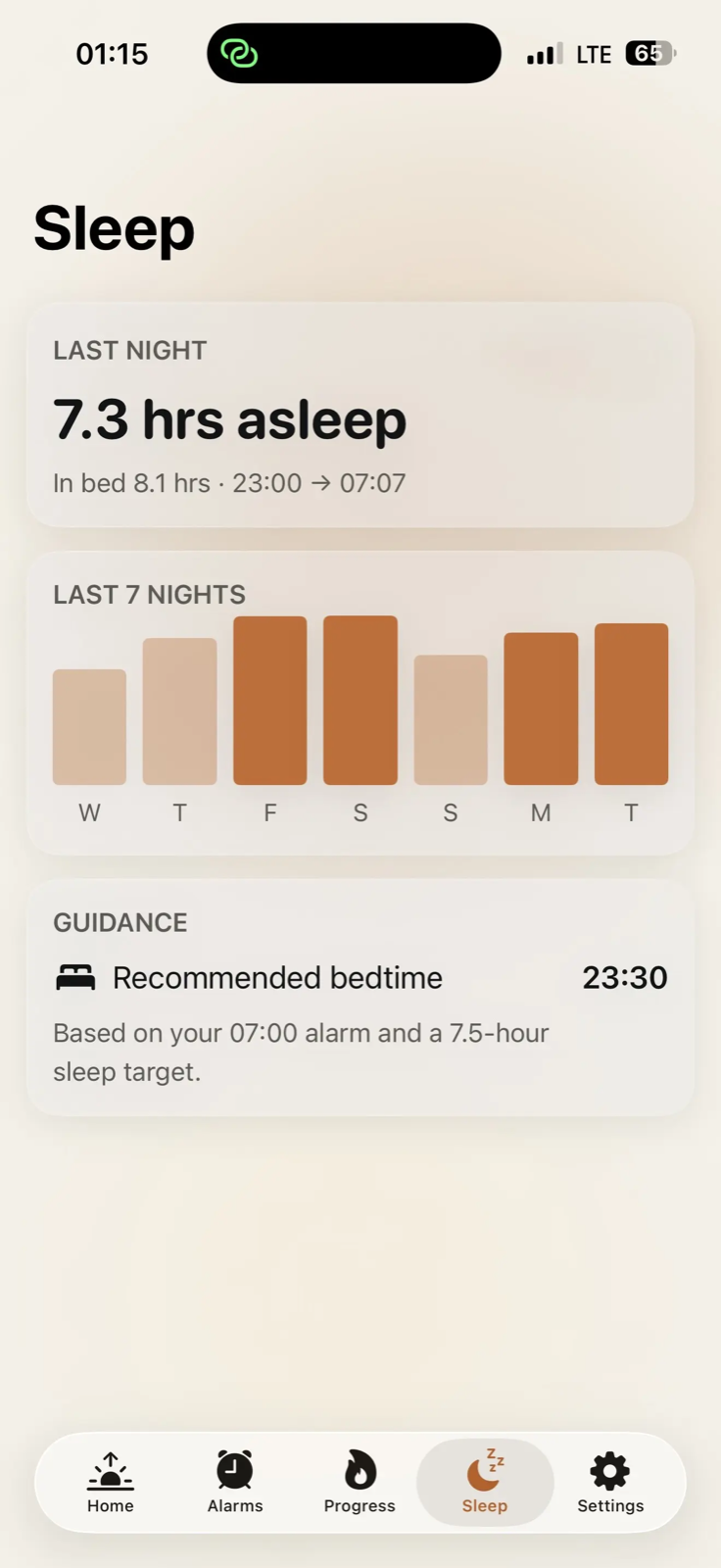
Connect Apple Health and Weky shows what you actually slept, across the week, with a bedtime that matches the alarm you've set.
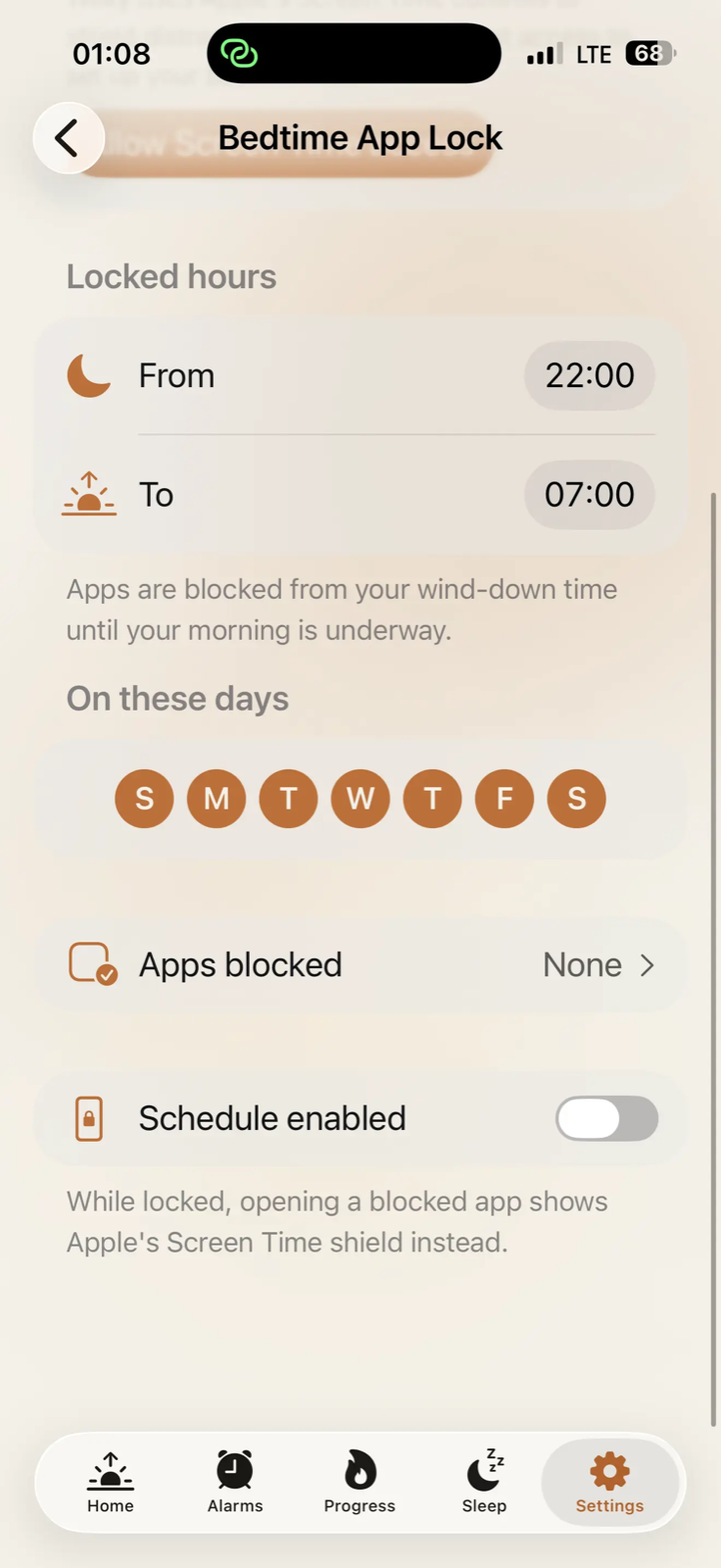
Bedtime App Lock blocks the apps that keep you up. Choose them, choose the hours, and they're gone until your morning is underway.
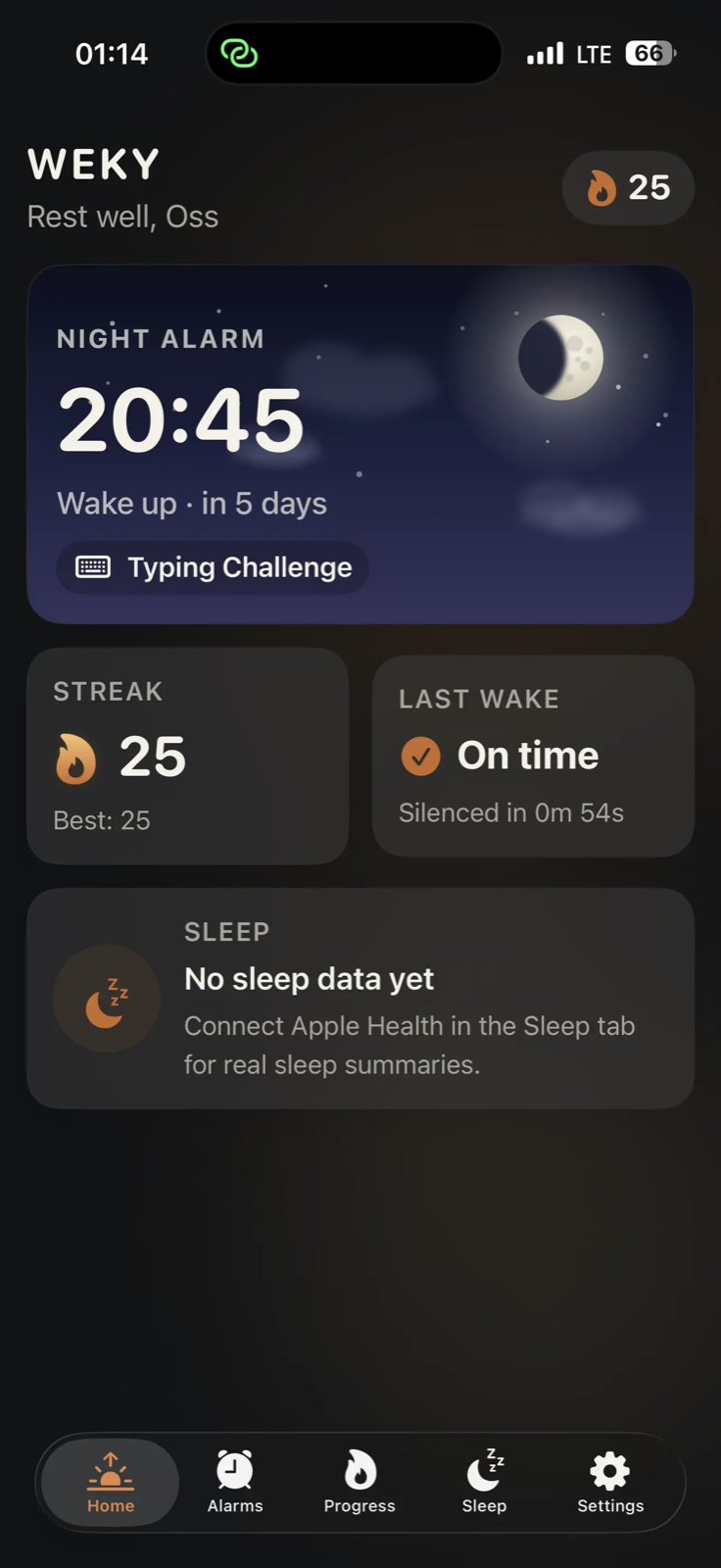
Weky follows your phone's appearance, and the alarm card shows the sky at the hour you're waking — sunrise, midday, sunset or a moonlit night.
Questions
No. Weky schedules a real system alarm, so it rings on the lock screen whether or not the app is running — and the mission is still waiting when you open it.
Yes. Silent mode, Do Not Disturb and Sleep Focus don't stop it. That's the whole job.
Never. Photo and push-up missions are checked on your iPhone using Apple's on-device Vision framework, and the image is discarded straight after. Nothing is uploaded, to us or to anyone.
Your streak resets to zero. Badges you've already earned stay yours. Weky offers a short recovery flow so the day isn't a write-off.
No — Weky works fully without one. Sign in with Apple or Google only if you want your streaks and achievements to survive reinstalling the app or moving to a new phone.
Please keep a second, independent alarm for anything where oversleeping would be harmful — medication, travel, safety-critical work. Weky is a habit tool, not a safety device.
Set one alarm, choose one mission, and find out what your morning feels like when snoozing isn't an option.